CoW is protecting your hidden content
CoW asks for your password before it reveals protected Caves, Chests, and bookmarks. The prompt is expected: it makes sure private links do not become visible simply because someone has access to your browser.
Password protection is available on Captain and Fleet. If you use Fleet, the protected-content password is synced between your connected devices in encrypted form.
Your unlock session may have ended
CoW does not have to keep every type of content unlocked for the same amount of time. You can choose a separate session length for hidden Caves, hidden Chests, and hidden bookmarks. When the selected number of minutes has passed, CoW asks for the password again for that content type.
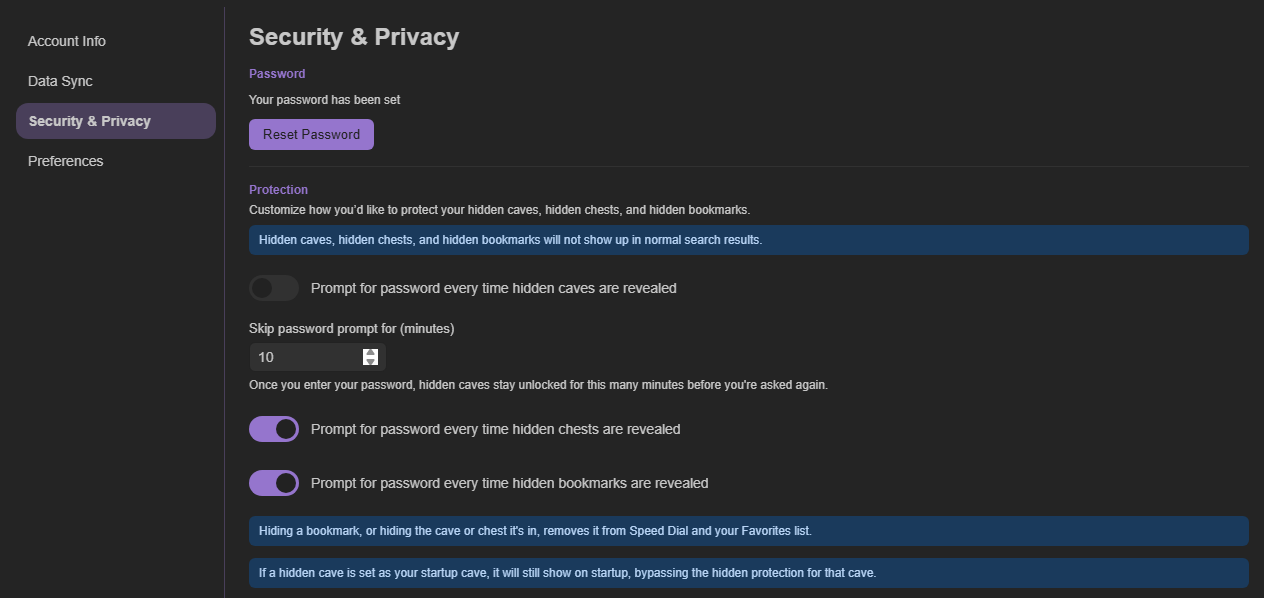
Change how often CoW asks
Open Account Settings → Security & Privacy. Adjust the password-session duration for the type of content that is prompting you too often, then save the setting. A shorter time gives you more privacy on a shared computer; a longer time gives you fewer interruptions on your own device.