Check the email address first
Enter the email address connected to your existing Fleet account, then request a new verification code. Check spam, junk, and any filtered inbox folders before trying again.
Find your Fleet email on the original device
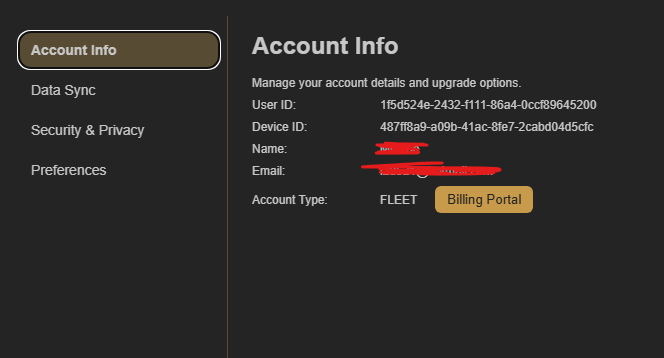
On the device where you purchased or first set up your Fleet account, open CoW Account Settings and choose Account Info. The email shown there is the address to enter when you connect a new device.
Still cannot verify?
Contact CoW with the email address you use for Fleet. Do not send your password or a verification code to anyone.