Give new links a consistent home
Create a few broad Caves, then use Chests for the projects and topics inside them. Drag links or Chests when your structure changes instead of starting over.
Use tags and search instead of overbuilding folders
Add tags when one bookmark connects to several topics, and search when you remember the subject but not the exact location. The free Deckhand plan includes unlimited bookmarks, Caves, and Chests, so your system can grow with you.
Keep short-term tabs separate from a growing collection
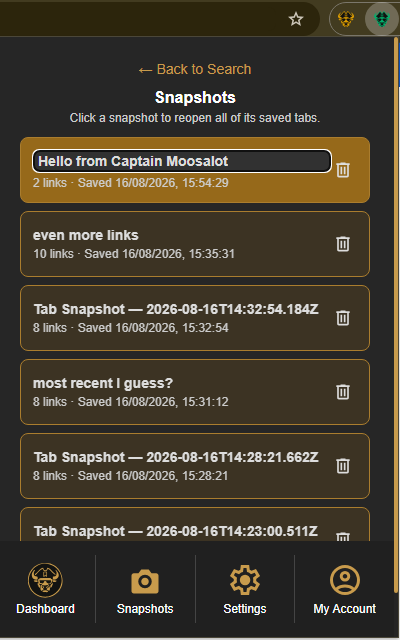
As a bookmark collection grows, save only the links that deserve a permanent place. For a temporary set of open pages, create a Tab Snapshot so it stays available without adding more items to your Caves and Chests.
From the Caves of Wonders (CoW) toolbar popup, choose Save All Open Tabs. The visible tab count lets you confirm the whole browser window before saving it.
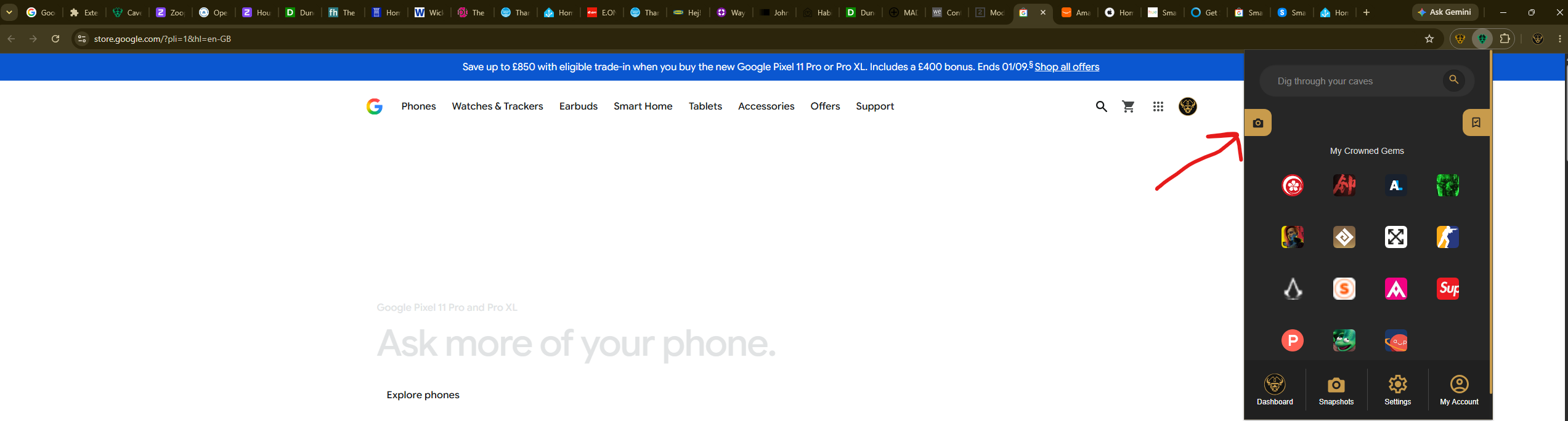
To bring the group back, select Snapshots from the popup's bottom navigation and select the snapshot card. Every saved URL opens together when you choose it.