Fleet syncs your full CoW collection
When you choose the Fleet account plan, CoW automatically sends the data needed to keep your collection the same across connected browsers and devices. This includes all Caves, Chests, bookmarks, tags, assigned tags, and custom images.
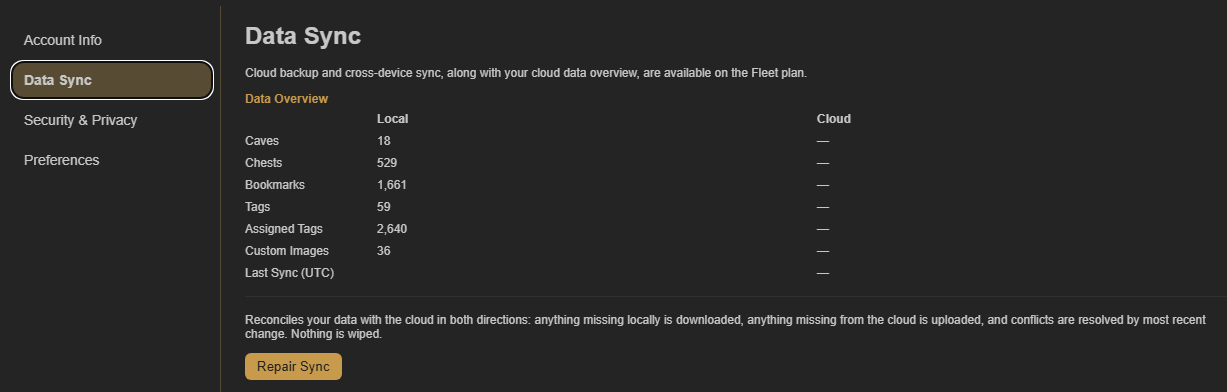
Check your Data Sync overview
Open Account Settings and select Data Sync to see a local-and-cloud overview of your collection. It shows item counts and the most recent sync time, making it easy to confirm what has reached the cloud.
Your settings and protected-content password are included
Fleet also syncs your user settings, so your CoW experience remains consistent on each connected device. Your protected-content password is included in encrypted form, allowing the same password protection to work across your Fleet devices.
Fleet cloud data is encrypted at rest
The data stored in the cloud for Fleet sync is encrypted at rest. Your default Cave is still a local setting, so each browser or device can open the Cave that makes the most sense there.