Use a simple hierarchy
Start with a Cave for a broad collection, then add Chests for the projects or topics inside it. Create inner Chests only when another level makes the links easier to find.
Adjust the structure as you use it
Drag and drop bookmarks into another Chest or reorder Chests whenever your needs change. Use tags for links that relate to more than one topic.
Keep temporary tab sessions out of your structure
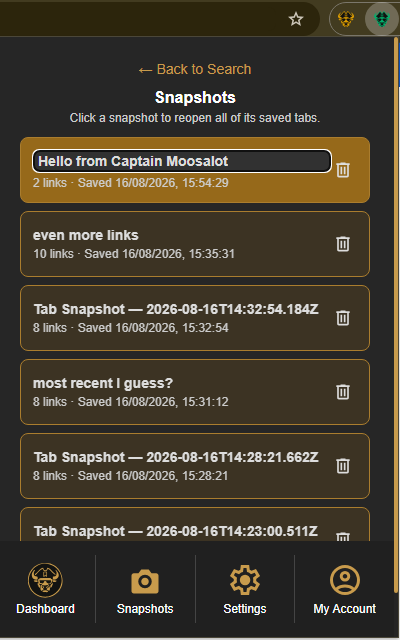
Not every open page needs to become a bookmark, Chest, or tag. When you are collecting tabs for a short-term task, save the current window as a Tab Snapshot and keep your permanent bookmark structure focused on links you will return to.
Select the Caves of Wonders (CoW) toolbar button and choose Save All Open Tabs. The popup shows how many open tabs will be kept in the snapshot.
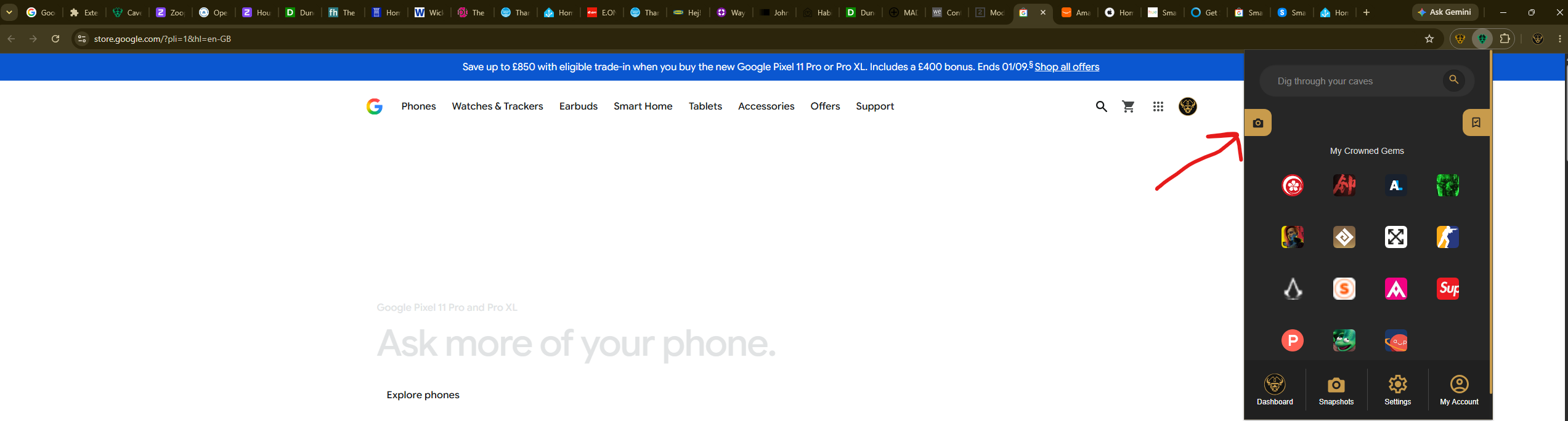
To use the session again, open the popup, select Snapshots in the bottom navigation, and select its card. The saved URLs reopen together in their original order.