Deckhand includes five active Tab Snapshots
Deckhand users can save up to five active Tab Snapshots. When you try to save a sixth snapshot, Caves of Wonders (CoW) keeps your current tabs open and shows a warning instead of creating another saved session.
Delete a snapshot you no longer need
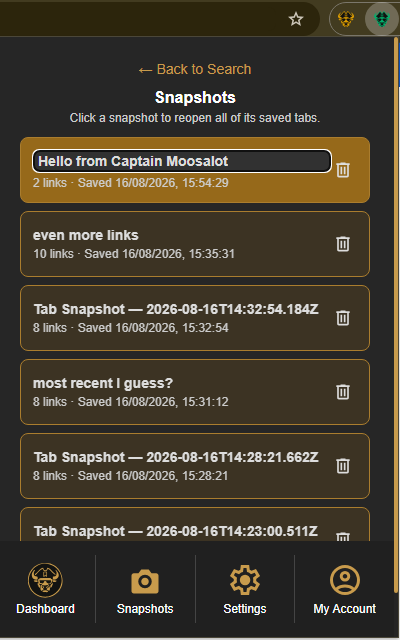
Open the Caves of Wonders (CoW) popup and select Snapshots in the bottom navigation. Use the delete button on a saved snapshot, then confirm the deletion. After you delete an existing snapshot, you can save a new one.
Open an existing snapshot instead
You can still select any existing snapshot card to reopen all of its saved links. The warning only prevents a new sixth snapshot from being created.
Unlimited snapshots on Captain and Fleet
Captain and Fleet users can save unlimited Tab Snapshots.