Save a whole browser session
Tab Snapshots save every open tab in your current browser window as a reusable session. Your tabs are saved in their existing order, ready to be opened together later.
Save your open tabs
Select the Caves of Wonders (CoW) toolbar button to open the popup, then choose Save All Open Tabs. The popup shows how many tabs will be saved and opens the Snapshots view when the snapshot is ready. 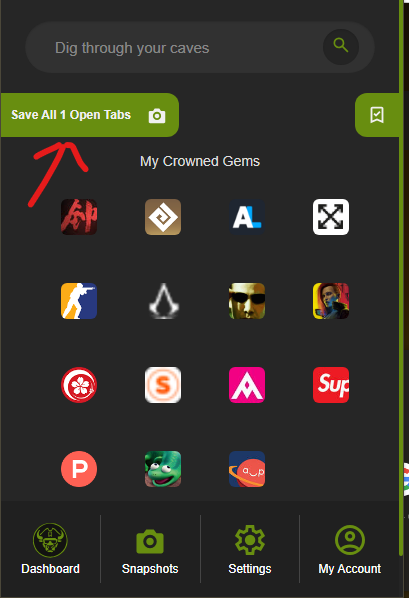
Open and manage saved snapshots
Open Snapshots from the popup navigation to see your saved sessions. Each snapshot shows its name, number of saved links, and saved time. Select a snapshot to reopen all of its URLs with one click. 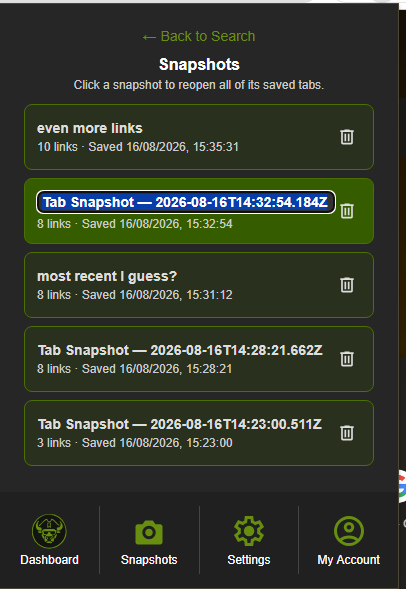
Select a snapshot title to rename it. Use the delete button to remove a snapshot when you no longer need it.
Snapshot limits by plan
Deckhand users can save up to five active snapshots. Captain and Fleet users can save unlimited snapshots.
Keep snapshots in sync
Snapshots are included in the same sync flow as your other Caves of Wonders (CoW) content, so saved sessions can stay available wherever your account is connected.