Open the background menu for your Cave
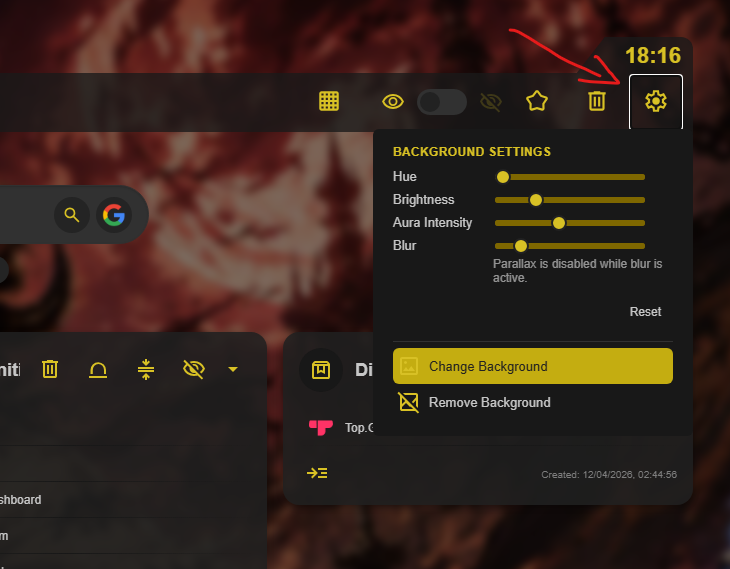
Cave backgrounds are a Captain and Fleet feature. In the top toolbar of the Cave you want to personalize, select the settings icon and choose Change Background.

Fine-tune the appearance
Background Settings lets you shape the atmosphere of a Cave after choosing its background. Use the sliders to alter hue, brightness, aura intensity, and blur until the collection looks right for you.
Keep each collection visually distinct
Different backgrounds can make work, hobbies, research, and personal collections easier to recognize at a glance.