Choose a Cave and Chest when you save
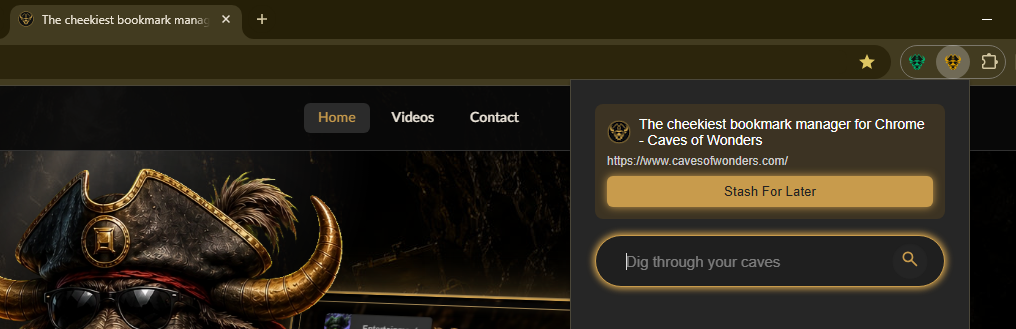
When you select Stash For Later from the Caves of Wonders (CoW) toolbar button, the popup guides you through choosing where the bookmark should go.
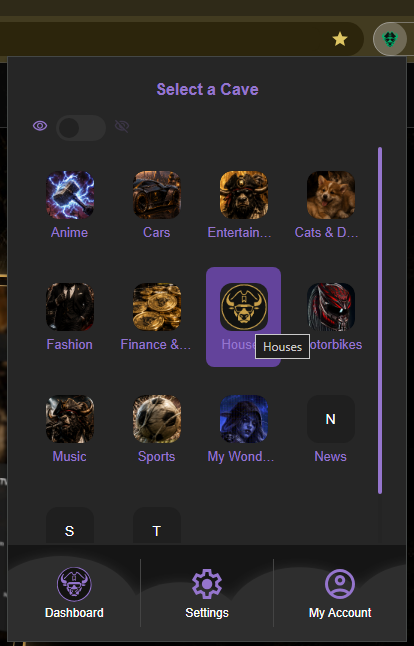
Select a Cave
First, choose the Cave where the bookmark belongs. A Cave is a top-level space for a broad part of your collection, such as Work, Personal, a hobby, or a project.
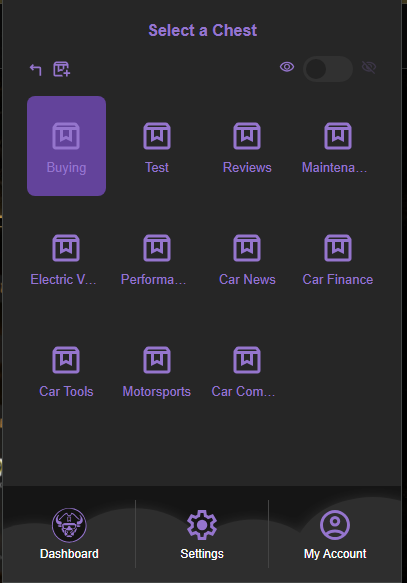
Select or create a Chest
Next, choose the Chest inside that Cave where you want to save the bookmark. A Chest works like a folder for a project, topic, or group of related sites.
If none of the existing Chests fit, you can create a new Chest from this view before saving the bookmark.
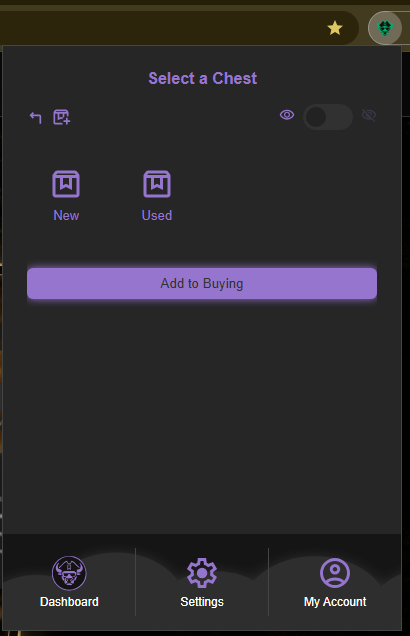
Add the bookmark to the selected Chest
When you have selected the right Chest, select the Add to [Chest name] button at the bottom of the window. The button shows the name of the Chest you selected, such as Add to Buying in the example below.
Move a bookmark later if you change your mind
You can drag and drop a bookmark into a different Chest whenever it needs a new home.