Start with the collection you have
Review bookmarks by the projects, topics, and parts of life they support. Remove links you no longer need, then group the links you keep into a structure you can recognize later.
Use CoW to give the structure room to grow
Import a copy of your Chrome bookmarks into Caves of Wonders (CoW), where folders become Chests in an Imported Cave. You can then create new Caves and Chests, move links by dragging, and keep your original Chrome bookmarks in place.
Import your Chrome bookmarks without losing folders.
Do not turn temporary browsing into bookmark clutter
While you are cleaning up bookmarks, use a Tab Snapshot for pages you only need for the moment. This prevents a one-off research session from becoming a folder full of links you will never use again.
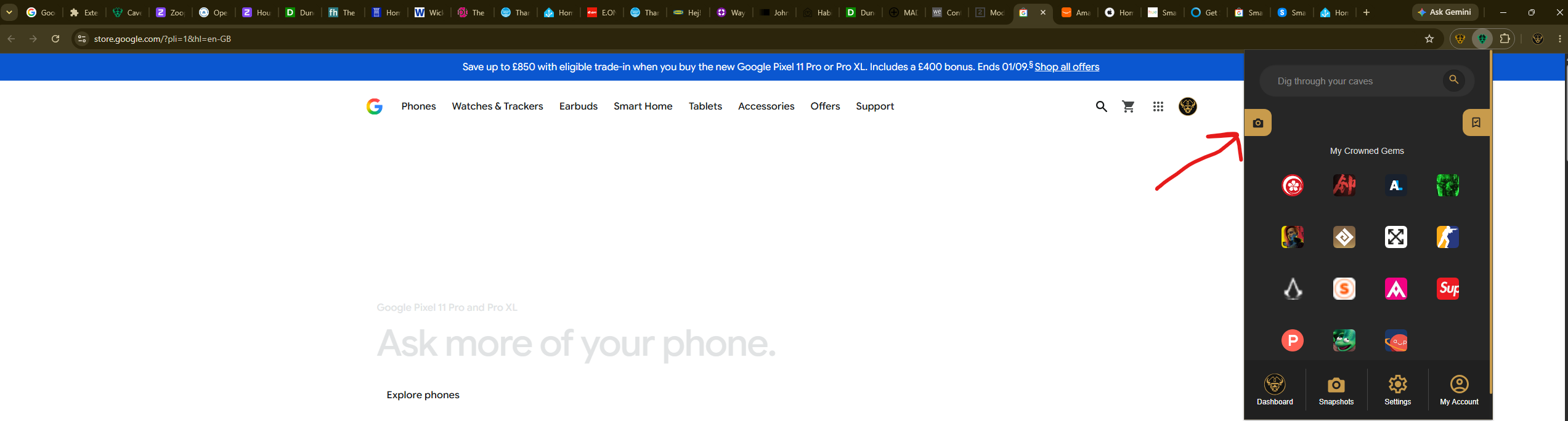
Select the Caves of Wonders (CoW) toolbar button, then choose Save All Open Tabs. The current browser window is saved as one session, with its tabs kept in their existing order.
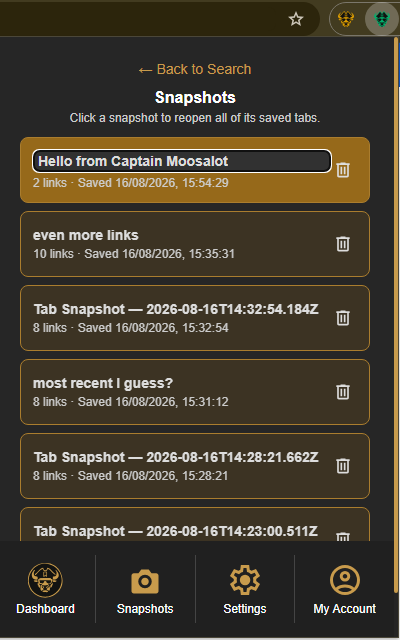
Later, open the CoW popup and select Snapshots in the bottom navigation. Select the saved card when you want to reopen the whole group of tabs.