You can bring your Toby bookmark collection into Caves of Wonders (CoW) with a Toby JSON export. CoW currently supports Toby version 3 exports.
Open Import Bookmarks from the sidebar
Open the right sidebar in CoW and select Import Bookmarks. In the import window, select Toby (v3).
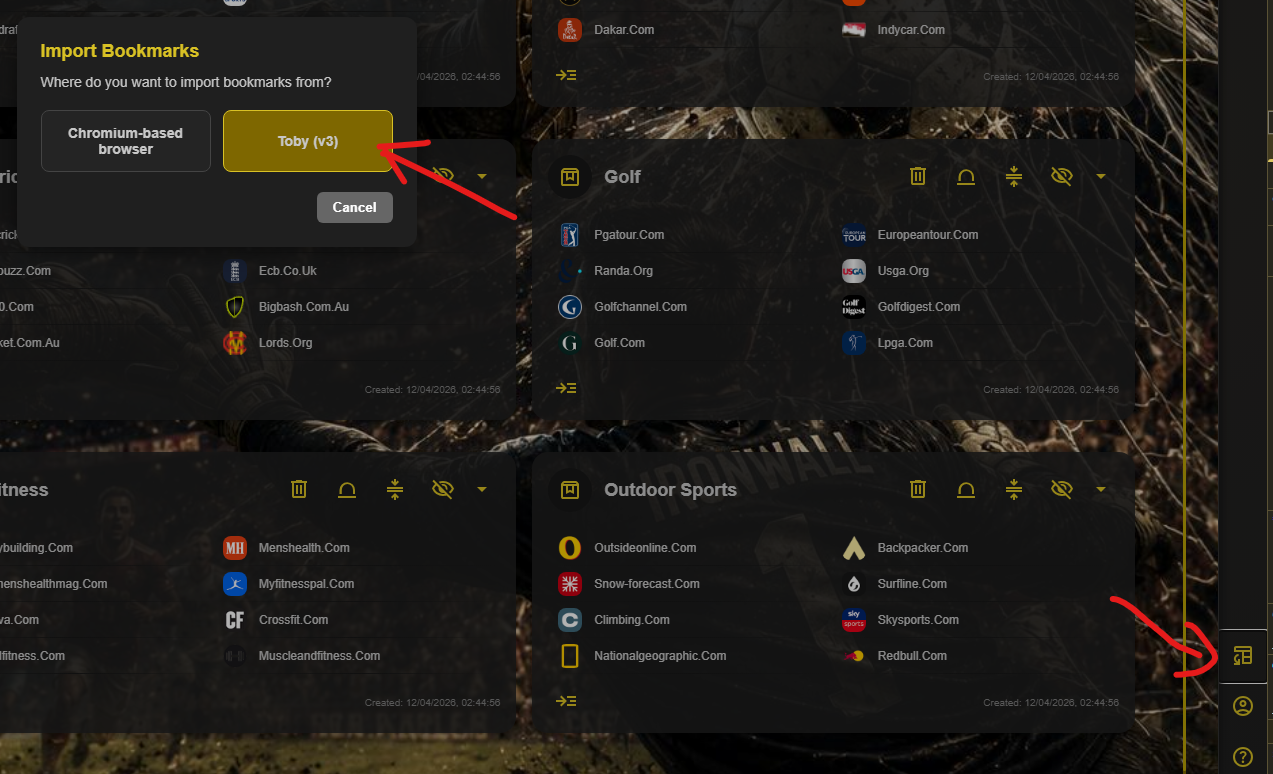
Select your Toby JSON export
Choose the JSON file you exported from Toby, then continue with the import. Make sure the file is a Toby version 3 export; other Toby export versions are not currently supported.
Organize your imported bookmarks
After the import, you can organize the bookmarks in CoW using Caves and Chests.