Use Caves and Chests for structure
Use a Cave for a broad collection such as work, study, or a hobby. Use Chests inside it like folders for projects, topics, or groups of related sites.
Use tags for connections across that structure
Tags are useful when a bookmark belongs to more than one topic. Add tags while editing a bookmark, then use Tag Manager to find the bookmarks assigned to a tag without creating duplicate links.
Learn more about bookmark tags.
Use snapshots for tabs that do not need a folder or tag
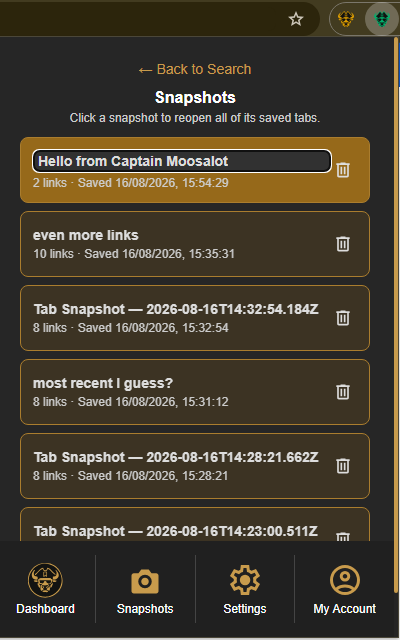
Folders and tags are valuable when a saved link belongs in your collection. For a set of pages you only need temporarily, save the browser window as a Tab Snapshot instead of deciding where every tab should live.
Open the Caves of Wonders (CoW) toolbar popup and select Save All Open Tabs. This saves the open URLs as one session while preserving their order.
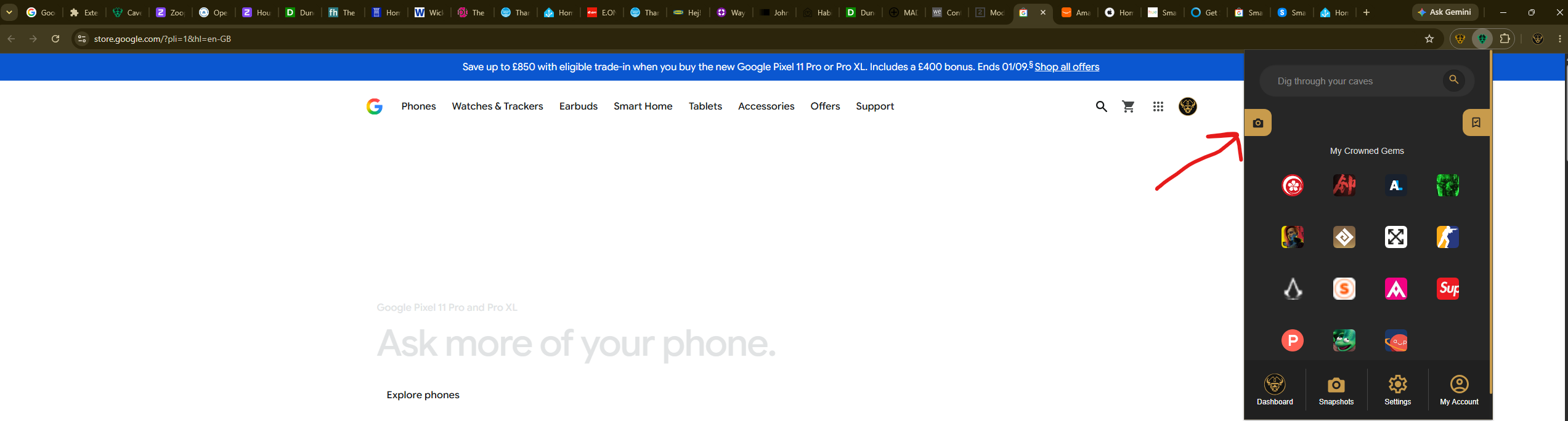
When the temporary task resumes, select Snapshots from the popup navigation. Select the saved card to reopen all of its links, then delete the snapshot when the session is no longer useful.