Open your saved Tab Snapshot
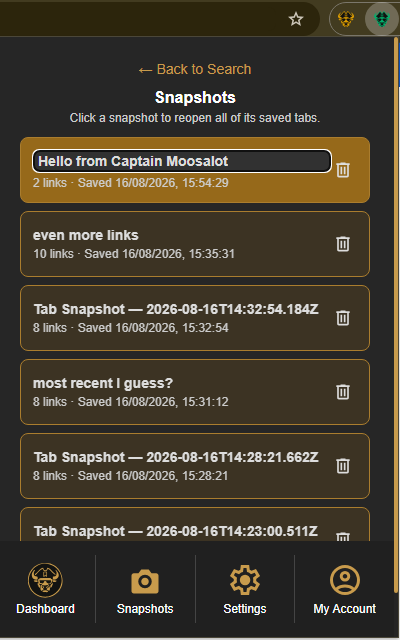
Select the Caves of Wonders (CoW) toolbar button to open the popup, then select Snapshots in the bottom navigation. The Snapshots view lists your saved sessions, with each session's name, number of links, and saved time.
Restore all saved links together
Select the snapshot card you want to use. Caves of Wonders (CoW) opens every URL saved in that snapshot, in its saved order. You do not need to select each link individually.
Keep your saved sessions easy to recognize
Select a snapshot title to rename it. Use the delete button to remove a session you no longer need. Each snapshot shows its number of saved links and the time it was saved, so you can choose the session you need before reopening it.