Save the browser window before you close it
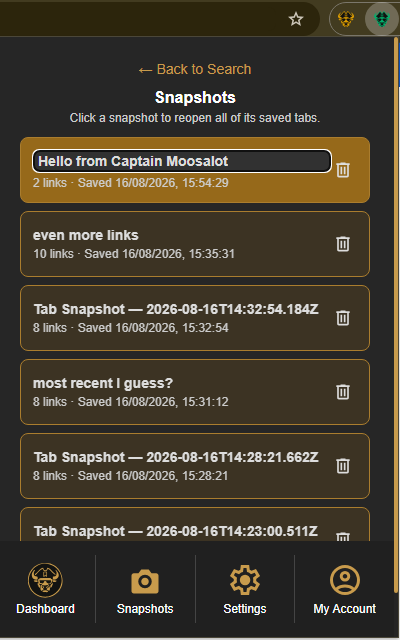
If you want to return to a group of tabs later, save them as a Tab Snapshot before closing the Chrome window. A snapshot keeps the saved URLs together as one reusable session.
Create the snapshot
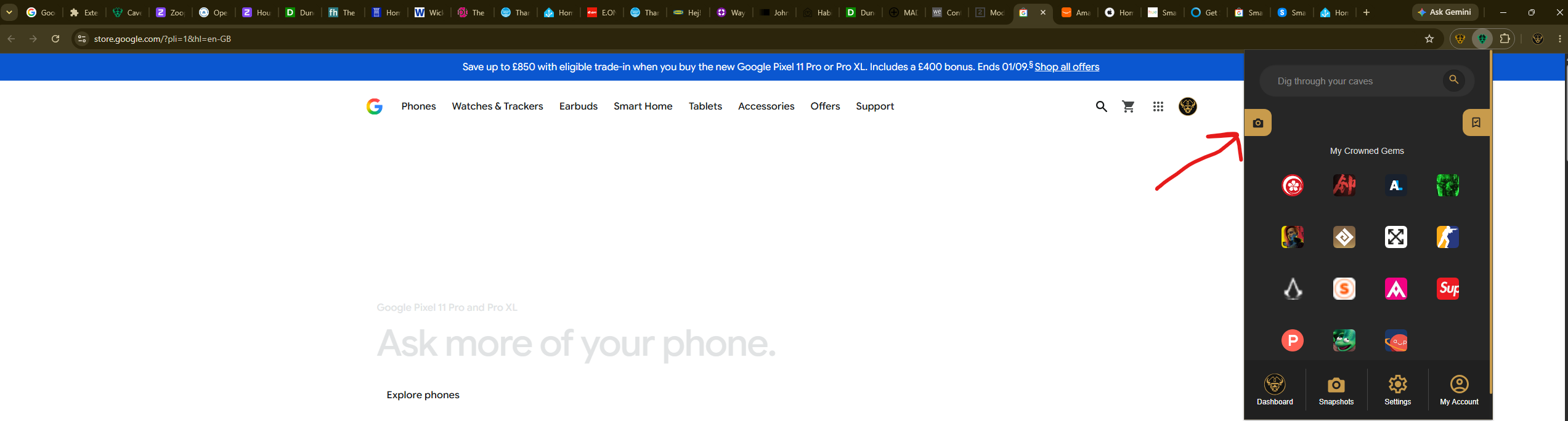
Select the Caves of Wonders (CoW) toolbar button and choose Save All Open Tabs. The popup tells you how many tabs are being saved, then opens Snapshots when the session is ready.
Close tabs when you are ready
Saving a Tab Snapshot does not close your current tabs. Once the snapshot is saved, you can decide whether to keep browsing or close the window knowing the saved session is available to reopen later.
Retrieve the tabs after closing Chrome
When you are ready to continue, select the Caves of Wonders (CoW) toolbar button and select Snapshots in the bottom navigation. Choose the saved snapshot card to reopen all of its links together.