Activate Fort Knox
Captain and Fleet users can select the Fort Knox button in the top-right corner. 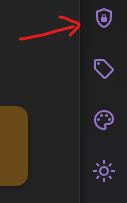
Hide protected content immediately
Fort Knox immediately returns you to the Dashboard and hides all hidden Caves, Chests, and bookmarks.
You can also activate Fort Knox with Ctrl + Shift + L, or Command + Shift + L on a Mac.