Set Caves of Wonders (CoW) as your startup page
Choose CoW as your startup page during setup, or enable the same option later from Account Settings → Preferences. 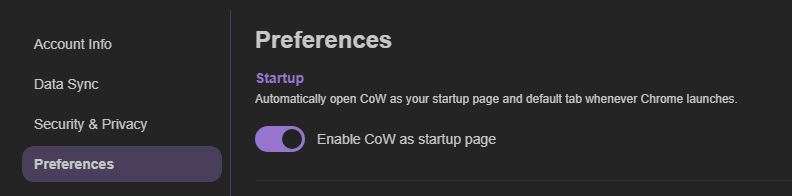
Leave this preference enabled when you want Chrome to open your chosen default Cave at startup or in a new tab.
Hide Chrome’s footer bar
After enabling Caves of Wonders (CoW) as your startup page, Chrome may show a footer bar with a Customize Chrome button. 
To remove it, select Customize Chrome and turn off Show footer on new tab page in the side panel. 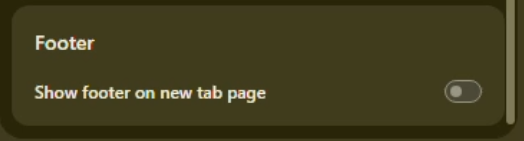
Keep your New Tab setting
The first time Chrome opens Caves of Wonders (CoW) as your startup page, it may ask whether you want to revert the setting. Select Keep to stop Chrome from prompting you again.